Welcome screen
View fullscreenWelcome to
The Dog & Duck
Order food and drink from our seasonal menu and have it delivered to your table
Code
hero
primary-cta
pub-switcher
css/primitives/buttons.css
.c-btn{
  display: inline-flex;
  align-items: center;
  justify-content: center;
  padding: 0 1.5rem;
  border-radius: var(--radius-md);
  border: 0;
  text-decoration: none;
  cursor: pointer;
  user-select: none;
  -webkit-tap-highlight-color: transparent;
}

.c-btn--primary,
.c-btn--secondary{
  min-height: 4rem;
  width: 100%;
  background: var(--color-brand);
  color: var(--color-white);
  box-shadow: var(--shadow-sm);
  font-family: var(--font-body);
  font-weight: var(--weight-light);
}

.c-btn--primary{
  font-size: var(--text-btn-size);
  line-height: var(--text-btn-line);
}

.c-btn--secondary{
  font-size: var(--text-btn-size-md);
  line-height: var(--text-btn-line-md);
}

.c-btn--small{
  flex: 0 0 auto;
  border: 1px solid var(--color-sand);
  background: var(--color-white);
  color: var(--color-sand);
  border-radius: var(--radius-sm);
  padding: 0.6rem 1.1rem;
  font-family: var(--font-body);
  font-size: 1rem;
  line-height: 1.1;
}

.c-btn[disabled],
.c-btn--disabled{
  opacity: 0.5;
  cursor: not-allowed;
}

.c-btn:not([disabled]):active{
  transform: translateY(1px);
}

.c-backbutton{
  padding: 0.5rem 1rem;
  border-bottom: 1px solid var(--color-sand);
}
HTML
<div class="c-hero">
<h1 class="c-hero__title">Welcome to<br>The Dog & Duck</h1>
<p class="c-hero__subtitle">
Order food and drink from our seasonal menu and have it delivered to your table
</p>
</div>
CSS
.c-hero{
  background: var(--color-brand);
  color: var(--color-offwhite);
  text-align: center;
  padding: 3rem var(--gutter) 2rem;
}

.c-hero__title{
  font-family: var(--font-heading);
  font-size: var(--welcome-text-heading-lg-size);
  line-height: var(--welcome-text-heading-lg-line);
  margin: 0 0 1rem;
  font-weight: 400;
}

.c-hero__subtitle{
  font-family: var(--font-body);
  font-size: var(--text-subhead-size);
  line-height: var(--text-subhead-line);
  margin: 0;
  font-weight: 400;
}
HTML
<section class="c-panel">
    <a href="/pages/allergen-notice.php" class="c-btn c-btn--primary">
      Place Your Order
    </a>

    <label class="c-form-check">
      <input type="checkbox" />
      <span>
        You must be 18 or over to use this service. By continuing to place an order you must agree to our <a href="#">terms & conditions</a>.
      </span>
    </label>
  </section>
CSS
.c-panel{
  flex: 1;
  background: var(--color-sand);
  padding: 2rem var(--gutter);
}

.c-form-check{
  display: flex;
  gap: 0.75rem;
  align-items: flex-start;
  margin-top: 1.5rem;
  color: var(--color-cream);
  font-family: var(--font-body);
  font-size: var(--text-body-size);
  line-height: var(--text-body-line);
}

.c-form-check input{
  margin-top: 0.125rem;
  width: 1.25rem;
  height: 1.25rem;
}
HTML
<footer class="c-pub-switcher">
    Not at The Dog and Duck?<br><a href="#">Select another pub</a>
</footer>
CSS
.c-pub-switcher{
  background: var(--color-offwhite);
  padding: 1.25rem var(--gutter);
  color: var(--color-brand-ink);
  font-family: var(--font-body);
  font-size: var(--text-body-size);
  line-height: var(--text-body-line);
}

.c-pub-switcher a{
  font-weight: var(--weight-extrabold);
  color: var(--color-brand-ink);
  text-decoration: underline;
  text-underline-offset: 2px;
}
Allergen Notice
View fullscreenThe Dog & Duck
The Street, Motown, PO5T C0D3
Food Allergies
If someone in your group has Food allergies we kindly ask you to order directly with one of our team Members.
I confirm my group have no food allergies
Code
topbar
name-and-address-header
boxout
css/primitives/buttons.css
.c-btn{
  display: inline-flex;
  align-items: center;
  justify-content: center;
  padding: 0 1.5rem;
  border-radius: var(--radius-md);
  border: 0;
  text-decoration: none;
  cursor: pointer;
  user-select: none;
  -webkit-tap-highlight-color: transparent;
}

.c-btn--primary,
.c-btn--secondary{
  min-height: 4rem;
  width: 100%;
  background: var(--color-brand);
  color: var(--color-white);
  box-shadow: var(--shadow-sm);
  font-family: var(--font-body);
  font-weight: var(--weight-light);
}

.c-btn--primary{
  font-size: var(--text-btn-size);
  line-height: var(--text-btn-line);
}

.c-btn--secondary{
  font-size: var(--text-btn-size-md);
  line-height: var(--text-btn-line-md);
}

.c-btn--small{
  flex: 0 0 auto;
  border: 1px solid var(--color-sand);
  background: var(--color-white);
  color: var(--color-sand);
  border-radius: var(--radius-sm);
  padding: 0.6rem 1.1rem;
  font-family: var(--font-body);
  font-size: 1rem;
  line-height: 1.1;
}

.c-btn[disabled],
.c-btn--disabled{
  opacity: 0.5;
  cursor: not-allowed;
}

.c-btn:not([disabled]):active{
  transform: translateY(1px);
}

.c-backbutton{
  padding: 0.5rem 1rem;
  border-bottom: 1px solid var(--color-sand);
}
HTML
<nav class="c-topbar" aria-label="Primary">
  <a class="c-topbar__home" href="/" aria-label="Home">
    <!-- Simple home icon (inline SVG so no asset dependency) -->
    <svg viewBox="0 0 30 28" aria-hidden="true" focusable="false" xmlns="http://www.w3.org/2000/svg">
      <path fill="#A6986F" d="M4,12.986L7.023,10.305L7.023,6.011L10.027,6.011L10.027,7.626L14,4L24,12.983L21.016,12.983L21.016,24L16.014,24L16.014,18.016L12.038,18.016L12.038,24L7.081,24L7.081,13.06L4,12.986Z"/>
    </svg>

  </a>

  <a class="c-topbar__basket" href="/basket" aria-label="Basket">
    <span class="c-topbar__basket-total">£0.00</span>
    <span class="c-topbar__basket-label">basket</span>
  </a>
</nav>
CSS
/**
 * Top bar
 */

.c-topbar{
  height: var(--topbar-h);
  width: 100%;
  background: var(--color-brand);
  box-shadow: var(--shadow-sm);
  display: flex;
  flex-shrink: 0;
  align-items: center;
  justify-content: space-between;
  padding: 0 1rem;
  position: sticky;
  top: 0;
  z-index: 30;
}

.c-topbar__home{
  display: inline-flex;
  align-items: center;
  justify-content: center;
  width: 2.5rem;
  height: 2.5rem;
  border-radius: var(--radius-sm);
  text-decoration: none;
  color: var(--color-muted);
}

.c-topbar__home svg{
  width: 2.75rem;
  height: 2.5rem;
  display: block;
  fill: currentColor;
}

.c-topbar__basket{
  display: inline-flex;
  flex-direction: column;
  align-items: flex-end;
  text-decoration: none;
  font-family: var(--font-body);
  line-height: 1;
}

.c-topbar__basket-total{
  font-size: var(--text-nav-total-size);
  line-height: var(--text-nav-total-line);
  font-weight: var(--weight-black);
  color: var(--color-white);
  text-align: right;
}

.c-topbar__basket-label{
  margin-top: 0.125rem;
  font-size: var(--text-nav-label-size);
  line-height: var(--text-nav-label-line);
  font-style: italic;
  font-weight: 400;
  color: var(--color-muted);
  text-transform: lowercase;
}

.c-topbar a:not([aria-disabled="true"]):active{
  transform: translateY(1px);
}
HTML
<div class="c-name-and-address">
<h1>The Dog & Duck</h1>
<p>
The Street, Motown, PO5T C0D3
</p>
</div>
CSS
.c-name-and-address{
  text-align: center;
  color: var(--color-brand-ink);
  margin: 2.5rem 0;
}

.c-name-and-address h1{
  font-size: var(--text-heading-lg-size);
  line-height: var(--text-heading-lg-line);
  font-family: var(--font-heading);
  font-weight: 400;
  margin: 0;
}

.c-name-and-address p{
  margin: 0;
  font-size: var(--address-text-size);
  line-height: var(--address-text-line);
}
HTML
<section class="c-boxout">
    <h1 class="c-boxout__title">Food Allergies</h1>
    <p class="c-boxout__subtitle">If someone in your group has Food allergies we kindly ask you to order directly with one of our team Members.</p>
    <a href="/pages/landing-page.php" class="c-btn c-btn--secondary">I confirm my group have no food allergies</a>
</section>
CSS
.c-boxout{
  text-align: center;
  background: var(--color-sand);
  color: var(--color-white);
  margin: 2.5rem auto;
  width: 85.6%;
  padding: 2rem 7.2%;
  border-radius: var(--radius-sm);
}

.c-boxout h1{
  font-size: var(--text-heading-lg-size);
  line-height: var(--text-heading-lg-line);
  font-family: var(--font-heading);
  font-weight: 400;
  margin: 2rem 0;
}

.c-boxout p{
  margin: 0 0 3rem 0;
  font-size: var(--text-subhead-size);
  line-height: var(--text-subhead-line);
}
Landing Page
View fullscreen
Code
topbar
name-and-address-header
promo-strip
large-button
css/primitives/u-scrolling.css
/* Reusable horizontal scroller (promo + tab bars) */
.u-scroll-x{
  overflow-x: auto;
  overflow-y: hidden;
  -webkit-overflow-scrolling: touch;
  scrollbar-width: none; /* Firefox */
}
.u-scroll-x::-webkit-scrollbar{ display:none; } /* Chrome/Safari */
css/primitives/buttons.css
.c-btn{
  display: inline-flex;
  align-items: center;
  justify-content: center;
  padding: 0 1.5rem;
  border-radius: var(--radius-md);
  border: 0;
  text-decoration: none;
  cursor: pointer;
  user-select: none;
  -webkit-tap-highlight-color: transparent;
}

.c-btn--primary,
.c-btn--secondary{
  min-height: 4rem;
  width: 100%;
  background: var(--color-brand);
  color: var(--color-white);
  box-shadow: var(--shadow-sm);
  font-family: var(--font-body);
  font-weight: var(--weight-light);
}

.c-btn--primary{
  font-size: var(--text-btn-size);
  line-height: var(--text-btn-line);
}

.c-btn--secondary{
  font-size: var(--text-btn-size-md);
  line-height: var(--text-btn-line-md);
}

.c-btn--small{
  flex: 0 0 auto;
  border: 1px solid var(--color-sand);
  background: var(--color-white);
  color: var(--color-sand);
  border-radius: var(--radius-sm);
  padding: 0.6rem 1.1rem;
  font-family: var(--font-body);
  font-size: 1rem;
  line-height: 1.1;
}

.c-btn[disabled],
.c-btn--disabled{
  opacity: 0.5;
  cursor: not-allowed;
}

.c-btn:not([disabled]):active{
  transform: translateY(1px);
}

.c-backbutton{
  padding: 0.5rem 1rem;
  border-bottom: 1px solid var(--color-sand);
}
css/primitives/heading.css
/* Common H2/H3 heading style used across sections */
.c-heading{
  margin: 0;
  padding: 1.25rem 1rem 0.75rem;
  font-family: var(--font-heading);
  font-size: 1.375rem;
  line-height: 1.2;
  font-weight: 400;
  color: var(--color-brand);
}
HTML
<nav class="c-topbar" aria-label="Primary">
  <a class="c-topbar__home" href="/" aria-label="Home">
    <!-- Simple home icon (inline SVG so no asset dependency) -->
    <svg viewBox="0 0 30 28" aria-hidden="true" focusable="false" xmlns="http://www.w3.org/2000/svg">
      <path fill="#A6986F" d="M4,12.986L7.023,10.305L7.023,6.011L10.027,6.011L10.027,7.626L14,4L24,12.983L21.016,12.983L21.016,24L16.014,24L16.014,18.016L12.038,18.016L12.038,24L7.081,24L7.081,13.06L4,12.986Z"/>
    </svg>

  </a>

  <a class="c-topbar__basket" href="/basket" aria-label="Basket">
    <span class="c-topbar__basket-total">£0.00</span>
    <span class="c-topbar__basket-label">basket</span>
  </a>
</nav>
CSS
/**
 * Top bar
 */

.c-topbar{
  height: var(--topbar-h);
  width: 100%;
  background: var(--color-brand);
  box-shadow: var(--shadow-sm);
  display: flex;
  flex-shrink: 0;
  align-items: center;
  justify-content: space-between;
  padding: 0 1rem;
  position: sticky;
  top: 0;
  z-index: 30;
}

.c-topbar__home{
  display: inline-flex;
  align-items: center;
  justify-content: center;
  width: 2.5rem;
  height: 2.5rem;
  border-radius: var(--radius-sm);
  text-decoration: none;
  color: var(--color-muted);
}

.c-topbar__home svg{
  width: 2.75rem;
  height: 2.5rem;
  display: block;
  fill: currentColor;
}

.c-topbar__basket{
  display: inline-flex;
  flex-direction: column;
  align-items: flex-end;
  text-decoration: none;
  font-family: var(--font-body);
  line-height: 1;
}

.c-topbar__basket-total{
  font-size: var(--text-nav-total-size);
  line-height: var(--text-nav-total-line);
  font-weight: var(--weight-black);
  color: var(--color-white);
  text-align: right;
}

.c-topbar__basket-label{
  margin-top: 0.125rem;
  font-size: var(--text-nav-label-size);
  line-height: var(--text-nav-label-line);
  font-style: italic;
  font-weight: 400;
  color: var(--color-muted);
  text-transform: lowercase;
}

.c-topbar a:not([aria-disabled="true"]):active{
  transform: translateY(1px);
}
HTML
<div class="c-name-and-address">
<h1>The Dog & Duck</h1>
<p>
The Street, Motown, PO5T C0D3
</p>
</div>
CSS
.c-name-and-address{
  text-align: center;
  color: var(--color-brand-ink);
  margin: 2.5rem 0;
}

.c-name-and-address h1{
  font-size: var(--text-heading-lg-size);
  line-height: var(--text-heading-lg-line);
  font-family: var(--font-heading);
  font-weight: 400;
  margin: 0;
}

.c-name-and-address p{
  margin: 0;
  font-size: var(--address-text-size);
  line-height: var(--address-text-line);
}
HTML
<section class="c-promo-strip" aria-label="Promotions">
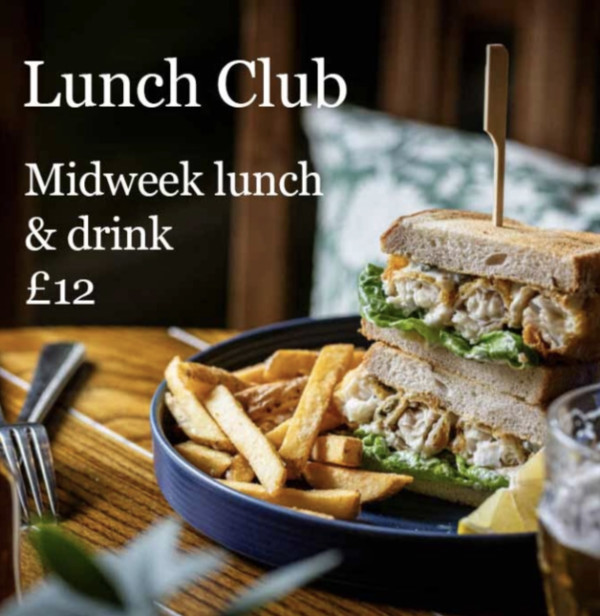
  <h2 class="c-heading">Why not try</h2>
  <div class="c-promo-strip__scroller u-scroll-x">
    <a href="#" class="c-promo-strip__item">
      <img
        src="../images/promo-tile-example.jpg"
        alt="Lunch Club – Midweek lunch and drink for £12"
        loading="lazy"
      >
    </a>

    <a href="#" class="c-promo-strip__item">
      <img
        src="../images/promo-tile-example.jpg"
        alt="Steak Night – Two steaks and wine for £25"
        loading="lazy"
      >
    </a>

    <a href="#" class="c-promo-strip__item">
      <img
        src="../images/promo-tile-example.jpg"
        alt="Sunday Roast – Served all day from £14"
        loading="lazy"
      >
    </a>
  </div>
</section>
CSS
.c-promo-strip{
  width: 100%;
  overflow: hidden;
  margin: 0 0 2rem 0;
  padding: 0 6px;
}

.c-promo-strip__scroller{
  display: flex;
  gap: 0.25rem;
  padding: 0;
}

.c-promo-strip__item{
  flex: 0 0 auto;
  width: 16rem;
  aspect-ratio: 1 / 1;
}

.c-promo-strip__item img{
  width: 100%;
  height: 100%;
  object-fit: cover;
  display: block;
}
HTML
<div class="c-btn-container">
<a href="/pages/product-listing.php" class="c-btn c-btn--primary">
      View the full menu
</a>
</div>
CSS
.c-btn-container{
  padding: 2rem var(--gutter);
}
Product Listing Page
View fullscreen
Code
topbar
tab-bar
menu-section-heading
menu-section-items
css/primitives/u-scrolling.css
/* Reusable horizontal scroller (promo + tab bars) */
.u-scroll-x{
  overflow-x: auto;
  overflow-y: hidden;
  -webkit-overflow-scrolling: touch;
  scrollbar-width: none; /* Firefox */
}
.u-scroll-x::-webkit-scrollbar{ display:none; } /* Chrome/Safari */
HTML
<nav class="c-topbar" aria-label="Primary">
  <a class="c-topbar__home" href="/" aria-label="Home">
    <!-- Simple home icon (inline SVG so no asset dependency) -->
    <svg viewBox="0 0 30 28" aria-hidden="true" focusable="false" xmlns="http://www.w3.org/2000/svg">
      <path fill="#A6986F" d="M4,12.986L7.023,10.305L7.023,6.011L10.027,6.011L10.027,7.626L14,4L24,12.983L21.016,12.983L21.016,24L16.014,24L16.014,18.016L12.038,18.016L12.038,24L7.081,24L7.081,13.06L4,12.986Z"/>
    </svg>

  </a>

  <a class="c-topbar__basket" href="/basket" aria-label="Basket">
    <span class="c-topbar__basket-total">£0.00</span>
    <span class="c-topbar__basket-label">basket</span>
  </a>
</nav>
CSS
/**
 * Top bar
 */

.c-topbar{
  height: var(--topbar-h);
  width: 100%;
  background: var(--color-brand);
  box-shadow: var(--shadow-sm);
  display: flex;
  flex-shrink: 0;
  align-items: center;
  justify-content: space-between;
  padding: 0 1rem;
  position: sticky;
  top: 0;
  z-index: 30;
}

.c-topbar__home{
  display: inline-flex;
  align-items: center;
  justify-content: center;
  width: 2.5rem;
  height: 2.5rem;
  border-radius: var(--radius-sm);
  text-decoration: none;
  color: var(--color-muted);
}

.c-topbar__home svg{
  width: 2.75rem;
  height: 2.5rem;
  display: block;
  fill: currentColor;
}

.c-topbar__basket{
  display: inline-flex;
  flex-direction: column;
  align-items: flex-end;
  text-decoration: none;
  font-family: var(--font-body);
  line-height: 1;
}

.c-topbar__basket-total{
  font-size: var(--text-nav-total-size);
  line-height: var(--text-nav-total-line);
  font-weight: var(--weight-black);
  color: var(--color-white);
  text-align: right;
}

.c-topbar__basket-label{
  margin-top: 0.125rem;
  font-size: var(--text-nav-label-size);
  line-height: var(--text-nav-label-line);
  font-style: italic;
  font-weight: 400;
  color: var(--color-muted);
  text-transform: lowercase;
}

.c-topbar a:not([aria-disabled="true"]):active{
  transform: translateY(1px);
}
HTML
<div class="c-tabbar c-tabbar--level1" role="navigation" aria-label="Primary menu tabs">
<div class="c-tabbar__scroller" role="tablist" aria-label="Drinks or Food">
<button class="c-tab" role="tab" aria-selected="false" type="button">Drinks</button>
<button class="c-tab c-tab--active" role="tab" aria-selected="true" type="button">Food</button>
</div>
</div>
<div class="c-tabbar c-tabbar--level2" role="navigation" aria-label="Category tabs">
<div class="c-tabbar__scroller u-scroll-x" role="tablist" aria-label="Food categories">
<button class="c-tab c-tab--sm c-tab--active" role="tab" aria-selected="true" type="button">Bar Snacks</button>
<button class="c-tab c-tab--sm" role="tab" aria-selected="false" type="button">Sharers & Starters</button>
<button class="c-tab c-tab--sm" role="tab" aria-selected="false" type="button">Mains</button>
<button class="c-tab c-tab--sm" role="tab" aria-selected="false" type="button">Desserts</button>
<button class="c-tab c-tab--sm" role="tab" aria-selected="false" type="button">Kids</button>
<button class="c-tab c-tab--sm" role="tab" aria-selected="false" type="button">Sunday</button>
</div>
</div>
CSS
.c-tabbar{
  position: sticky;
  top: var(--topbar-h);
  z-index: 20;
  background: var(--color-offwhite);
  padding: 0.5rem 0;
}

.c-tabbar--level1{
  top: var(--topbar-h);
  height: var(--tabbar1-h);
  display: flex;
  align-items: center;
}

.c-tabbar--level2{
  top: calc(var(--topbar-h) + var(--tabbar1-h) - 1px);
  height: var(--tabbar2-h);
  display: flex;
  align-items: center;
  background: var(--color-sand);
}

.c-tabbar__scroller{
  display: flex;
  gap: 0.5rem;
  padding: 0 1rem;
}

/* Tabs */
.c-tab{
  flex: 0 0 auto;
  border: 1px solid var(--color-sand);
  background: var(--color-white);
  color: var(--color-sand);
  border-radius: var(--radius-sm);
  padding: 0.6rem 1.1rem;
  font-family: var(--font-body);
  font-size: 1rem;
  line-height: 1.1;
  cursor: pointer;
}

.c-tab--sm{
  padding: 0.45rem 0.9rem;
  font-size: 0.95rem;
}

.c-tab--active{
  background: var(--color-brand);
  border-color: var(--color-brand);
  color: var(--color-white);
}
HTML
<header class="c-menu-section">
  <h2 class="c-menu-section__title">Burgers</h2>
  <p class="c-menu-section__desc">
    Served in a toasted brioche-style bun with Skin-on chips
  </p>
</header>
CSS
.c-menu-section__title{
  margin: 0;
  font-family: var(--font-heading);
  font-weight: 400;
  font-size: 1.5rem;
  line-height: 1.2;
  padding: 1rem;
  background-color: var(--color-brand);
  color: var(--color-white);
}

.c-menu-section__desc{
  margin: 0;
  font-family: var(--font-body);
  font-size: 0.875rem;
  line-height: 1.2;
  font-style: italic;
  color: var(--color-brand);
  padding: 1rem;
  background-color: var(--color-white);
}
HTML
<ul class="c-menu-list" role="list">
  <li>
    <a href="./product-page.php" class="c-menu-item__link">
      <!-- The following is an example of the menu-item.html component -->
      <div class="c-menu-item">
        <div class="c-menu-item__body">
          <h3 class="c-menu-item__title">Beetroot, red pepper burger</h3>
          <p class="c-menu-item__desc">Tomato tapenade, smoked cheese, red onion chutney</p>
        </div>
        <div class="c-menu-item__footer">
          <p class="c-menu-item__meta">(ve) 1156 kcals</p>
          <div class="c-menu-item__price" aria-label="Price">£14.50</div>
        </div>
      </div>
      <!-- End: menu-item.html component -->
    </a>
  </li>
</ul>
CSS
.c-menu-list{
  list-style: none;
  margin: 0;
  padding: 0;
}

.c-menu-list li {
  border-top: 1px solid var(--color-sand);
}
Product Page
View fullscreen
Code
topbar
back-button
menu-item
menu-item-customisation
checkout-next-step
css/primitives/buttons.css
.c-btn{
  display: inline-flex;
  align-items: center;
  justify-content: center;
  padding: 0 1.5rem;
  border-radius: var(--radius-md);
  border: 0;
  text-decoration: none;
  cursor: pointer;
  user-select: none;
  -webkit-tap-highlight-color: transparent;
}

.c-btn--primary,
.c-btn--secondary{
  min-height: 4rem;
  width: 100%;
  background: var(--color-brand);
  color: var(--color-white);
  box-shadow: var(--shadow-sm);
  font-family: var(--font-body);
  font-weight: var(--weight-light);
}

.c-btn--primary{
  font-size: var(--text-btn-size);
  line-height: var(--text-btn-line);
}

.c-btn--secondary{
  font-size: var(--text-btn-size-md);
  line-height: var(--text-btn-line-md);
}

.c-btn--small{
  flex: 0 0 auto;
  border: 1px solid var(--color-sand);
  background: var(--color-white);
  color: var(--color-sand);
  border-radius: var(--radius-sm);
  padding: 0.6rem 1.1rem;
  font-family: var(--font-body);
  font-size: 1rem;
  line-height: 1.1;
}

.c-btn[disabled],
.c-btn--disabled{
  opacity: 0.5;
  cursor: not-allowed;
}

.c-btn:not([disabled]):active{
  transform: translateY(1px);
}

.c-backbutton{
  padding: 0.5rem 1rem;
  border-bottom: 1px solid var(--color-sand);
}
HTML
<nav class="c-topbar" aria-label="Primary">
  <a class="c-topbar__home" href="/" aria-label="Home">
    <!-- Simple home icon (inline SVG so no asset dependency) -->
    <svg viewBox="0 0 30 28" aria-hidden="true" focusable="false" xmlns="http://www.w3.org/2000/svg">
      <path fill="#A6986F" d="M4,12.986L7.023,10.305L7.023,6.011L10.027,6.011L10.027,7.626L14,4L24,12.983L21.016,12.983L21.016,24L16.014,24L16.014,18.016L12.038,18.016L12.038,24L7.081,24L7.081,13.06L4,12.986Z"/>
    </svg>

  </a>

  <a class="c-topbar__basket" href="/basket" aria-label="Basket">
    <span class="c-topbar__basket-total">£0.00</span>
    <span class="c-topbar__basket-label">basket</span>
  </a>
</nav>
CSS
/**
 * Top bar
 */

.c-topbar{
  height: var(--topbar-h);
  width: 100%;
  background: var(--color-brand);
  box-shadow: var(--shadow-sm);
  display: flex;
  flex-shrink: 0;
  align-items: center;
  justify-content: space-between;
  padding: 0 1rem;
  position: sticky;
  top: 0;
  z-index: 30;
}

.c-topbar__home{
  display: inline-flex;
  align-items: center;
  justify-content: center;
  width: 2.5rem;
  height: 2.5rem;
  border-radius: var(--radius-sm);
  text-decoration: none;
  color: var(--color-muted);
}

.c-topbar__home svg{
  width: 2.75rem;
  height: 2.5rem;
  display: block;
  fill: currentColor;
}

.c-topbar__basket{
  display: inline-flex;
  flex-direction: column;
  align-items: flex-end;
  text-decoration: none;
  font-family: var(--font-body);
  line-height: 1;
}

.c-topbar__basket-total{
  font-size: var(--text-nav-total-size);
  line-height: var(--text-nav-total-line);
  font-weight: var(--weight-black);
  color: var(--color-white);
  text-align: right;
}

.c-topbar__basket-label{
  margin-top: 0.125rem;
  font-size: var(--text-nav-label-size);
  line-height: var(--text-nav-label-line);
  font-style: italic;
  font-weight: 400;
  color: var(--color-muted);
  text-transform: lowercase;
}

.c-topbar a:not([aria-disabled="true"]):active{
  transform: translateY(1px);
}
HTML
<div class="c-backbutton" role="navigation" aria-label="Back button">
  <a href="#" class="c-btn c-btn--small">Go back</a>
</div>
CSS
/* No component CSS file found: components/back-button.css */
HTML
<div class="c-menu-item">
  <a href="#" class="c-menu-item__link">
    <div class="c-menu-item__body">
      <h2 class="c-menu-item__title">Beetroot, red pepper burger</h2>
      <p class="c-menu-item__desc">Tomato tapenade, smoked cheese, red onion chutney</p>
    </div>
    <div class="c-menu-item__footer">
      <p class="c-menu-item__meta">(ve) 1156 kcals</p>
      <div class="c-menu-item__price" aria-label="Price">£14.50</div>
    </div>
  </a>
</div>
CSS
.c-menu-item{
  background: var(--color-offwhite);
}

.c-menu-item__link{
  display: flex;
  flex-direction: column;
  justify-content: space-between;
  text-decoration: none;
  padding: 1rem;
  color: inherit;
}

.c-menu-item__body{ min-width: 0; }

.c-menu-item__footer{
  display: flex;
  gap: 1rem;
  justify-content: space-between;
  color: inherit;
}

.c-menu-item__title{
  margin: 0 0 0.35rem;
  font-family: var(--font-heading);
  color: var(--color-brand);
  font-weight: 400;
  font-size: 1.125rem;
  line-height: 1.2;
}

h2.c-menu-item__title{ font-size: 1.375rem; }

.c-menu-item__desc{
  margin: 0 0 0.5rem;
  font-family: var(--font-body);
  font-size: 0.95rem;
  line-height: 1.25;
  color: var(--color-brand-ink);
}

.c-menu-item__meta{
  margin: 0;
  font-family: var(--font-body);
  font-size: 0.75rem;
  line-height: 1.2;
  font-style: italic;
  color: var(--color-brand);
  display: flex;
  gap: 0.75rem;
  flex-wrap: wrap;
  align-self: end;
}

.c-menu-item__meta > *{ align-self: end; }

.c-menu-item__price{
  flex: 0 0 auto;
  font-family: var(--font-heading);
  font-size: 1.25rem;
  line-height: 1.2;
  color: var(--color-brand);
  white-space: nowrap;
  padding-left: 0.5rem;
}

/* Highlighted state */
.c-menu-item.is-highlighted{ background: var(--color-white); }
.c-menu-item.is-highlighted .c-menu-item__link{ background: transparent; }

/* Out of stock state */
.c-menu-item.is-out-of-stock{ opacity: 0.45; }
.c-menu-item.is-out-of-stock .c-menu-item__status{
  opacity: 1;
  color: var(--color-warning);
  font-style: normal;
}
.c-menu-item.is-out-of-stock .c-menu-item__link{
  cursor: not-allowed;
  pointer-events: none;
}
HTML
<section class="c-customise" aria-label="Customise item">

  <!-- Options (radio) -->
  <div class="c-customise__options">
    <h3 class="c-customise__title">Choose between</h3>

    <fieldset class="c-customise__group">
      <label class="c-choice-row">
        <input type="radio" name="cook" checked>
        <span class="c-choice-row__label">Rare</span>
      </label>

      <label class="c-choice-row">
        <input type="radio" name="cook">
        <span class="c-choice-row__label">Medium</span>
      </label>

      <label class="c-choice-row is-disabled">
        <input type="radio" name="cook" disabled>
        <span class="c-choice-row__label">Well done</span>
      </label>
    </fieldset>
  </div>

  <!-- Upsells (checkbox) -->
  <div class="c-customise__upsells">
    <div class="c-customise__bar">
      <h3 class="c-customise__title">Why not add...</h3>
    </div>

    <fieldset class="c-customise__group c-customise__upsells-body">
      <label class="c-choice-row">
        <input type="checkbox">
        <span class="c-choice-row__label">Swap to Sweet potato fries</span>
        <span class="c-choice-row__price">£2.40</span>
      </label>

      <label class="c-choice-row">
        <input type="checkbox" checked>
        <span class="c-choice-row__label">Add halloumi</span>
        <span class="c-choice-row__price">£1.50</span>
      </label>
    </fieldset>
  </div>

  <!-- Notes -->
  <div class="c-customise__notes">
    <div class="c-customise__bar">
      <h3 class="c-customise__title">Add a note about this item</h3>
    </div>

    <div class="c-customise__notes-body">
      <textarea class="c-customise__textarea" placeholder="e.g. No mayo, sauce on the side"></textarea>
    </div>
  </div>

</section>
CSS
/* Menu item customisation (component) */

.c-customise{
  background: var(--color-white);
}

/* Options section (offwhite block) */
.c-customise__options{
  background: var(--color-offwhite);
  padding: 1rem;
  border-top: 1px solid rgba(0,0,0,0.15);
}

.c-customise__title{
  margin: 0;
  font-family: var(--font-heading);
  font-size: 1.125rem;
  line-height: 1.2;
  font-weight: 400;
  color: var(--color-brand);
}

.c-customise__group{
  border: 0;
  padding: 0;
  margin: 0;
}

/* Sand heading bar pattern (used by upsells + notes) */
.c-customise__bar{
  background: var(--color-sand);
  padding: 0.75rem 1rem;
}

/* Upsells section */
.c-customise__upsells{
  background: var(--color-white);
  border-top: 1px solid rgba(0,0,0,0.15);
}

.c-customise__upsells-body{
  padding: 0.75rem 1rem;
}

/* Notes section */
.c-customise__notes{
  background: var(--color-white);
  border-top: 1px solid rgba(0,0,0,0.15);
}

.c-customise__notes-body{
  padding: 1rem;
}

.c-customise__textarea{
  width: 100%;
  min-height: 6rem;
  resize: vertical;
  padding: 0.75rem;

  font-family: var(--font-body);
  font-size: 1rem;
  line-height: 1.3;

  color: var(--color-brand);
  background: var(--color-white);

  border: 1px solid rgba(0,0,0,0.25);
  box-shadow: var(--input-field-shadow);
}

.c-customise__textarea::placeholder{
  color: #A6986F76;
}

.c-customise__textarea:focus{
  outline: none;
  border-color: var(--color-brand);
}
HTML
<div class="c-checkout-next" role="region" aria-label="Next step">
  <div class="c-checkout-next__text">
    <div class="c-checkout-next__label">Add selection to order:</div>
    <!-- Optional secondary line (remove if not needed) -->
    <div class="c-checkout-next__sub">£17.90</div>
  </div>

  <button class="c-checkout-next__btn" type="button">Add</button>
</div>
CSS
.c-checkout-next{
  position: sticky;
  bottom: 0;
  z-index: 40;
  margin-top: auto;

  display: flex;
  align-items: center;
  justify-content: space-between;
  gap: 1rem;

  padding: 0.75rem 1rem;
  background: var(--color-white);
  box-shadow: 0 -3px 6px var(--shadow-color);
}

.c-checkout-next__text{
  display: flex;
  flex-direction: column;
  min-width: 0;
  color: var(--color-brand);
  font-family: var(--font-heading);
  font-size: 1.125rem;
  line-height: 1.2;
}

.c-checkout-next__label,
.c-checkout-next__sub{
  margin: 0;
}

.c-checkout-next__btn{
  flex: 0 0 auto;
  min-width: 5.5rem;
  height: 2.5rem;
  padding: 0 1rem;
  background: var(--color-sand);
  color: var(--color-white);
  border: 0;
  border-radius: var(--radius-md);
  font-family: var(--font-body);
  font-size: 1.125rem;
  line-height: 1;
  font-weight: 400;
  cursor: pointer;
  -webkit-tap-highlight-color: transparent;
}

.c-checkout-next__btn:active{ transform: translateY(1px); }

.c-checkout-next__btn[disabled]{
  opacity: 0.5;
  cursor: not-allowed;
}
Checkout: Basket
View fullscreenYour Order:
-
John Smiths Pint£5.50
-
Gordens Gin
- + FeverTree light tonic
£8.50 -
The house burger
- Rare
- Mushy peas
- + Sweet potato fries upgrade
£17.90 -
John Smiths Pint£5.50
-
Gordens Gin
- + FeverTree light tonic
£8.50 -
The house burger
- Rare
- Mushy peas
- + Sweet potato fries upgrade
£17.90
Add selection to order:
£17.90
Code
topbar
back-button
order-items
checkout-next-step
css/primitives/buttons.css
.c-btn{
  display: inline-flex;
  align-items: center;
  justify-content: center;
  padding: 0 1.5rem;
  border-radius: var(--radius-md);
  border: 0;
  text-decoration: none;
  cursor: pointer;
  user-select: none;
  -webkit-tap-highlight-color: transparent;
}

.c-btn--primary,
.c-btn--secondary{
  min-height: 4rem;
  width: 100%;
  background: var(--color-brand);
  color: var(--color-white);
  box-shadow: var(--shadow-sm);
  font-family: var(--font-body);
  font-weight: var(--weight-light);
}

.c-btn--primary{
  font-size: var(--text-btn-size);
  line-height: var(--text-btn-line);
}

.c-btn--secondary{
  font-size: var(--text-btn-size-md);
  line-height: var(--text-btn-line-md);
}

.c-btn--small{
  flex: 0 0 auto;
  border: 1px solid var(--color-sand);
  background: var(--color-white);
  color: var(--color-sand);
  border-radius: var(--radius-sm);
  padding: 0.6rem 1.1rem;
  font-family: var(--font-body);
  font-size: 1rem;
  line-height: 1.1;
}

.c-btn[disabled],
.c-btn--disabled{
  opacity: 0.5;
  cursor: not-allowed;
}

.c-btn:not([disabled]):active{
  transform: translateY(1px);
}

.c-backbutton{
  padding: 0.5rem 1rem;
  border-bottom: 1px solid var(--color-sand);
}
css/primitives/heading.css
/* Common H2/H3 heading style used across sections */
.c-heading{
  margin: 0;
  padding: 1.25rem 1rem 0.75rem;
  font-family: var(--font-heading);
  font-size: 1.375rem;
  line-height: 1.2;
  font-weight: 400;
  color: var(--color-brand);
}
HTML
<nav class="c-topbar" aria-label="Primary">
  <a class="c-topbar__home" href="/" aria-label="Home">
    <!-- Simple home icon (inline SVG so no asset dependency) -->
    <svg viewBox="0 0 30 28" aria-hidden="true" focusable="false" xmlns="http://www.w3.org/2000/svg">
      <path fill="#A6986F" d="M4,12.986L7.023,10.305L7.023,6.011L10.027,6.011L10.027,7.626L14,4L24,12.983L21.016,12.983L21.016,24L16.014,24L16.014,18.016L12.038,18.016L12.038,24L7.081,24L7.081,13.06L4,12.986Z"/>
    </svg>

  </a>

  <a class="c-topbar__basket" href="/basket" aria-label="Basket">
    <span class="c-topbar__basket-total">£0.00</span>
    <span class="c-topbar__basket-label">basket</span>
  </a>
</nav>
CSS
/**
 * Top bar
 */

.c-topbar{
  height: var(--topbar-h);
  width: 100%;
  background: var(--color-brand);
  box-shadow: var(--shadow-sm);
  display: flex;
  flex-shrink: 0;
  align-items: center;
  justify-content: space-between;
  padding: 0 1rem;
  position: sticky;
  top: 0;
  z-index: 30;
}

.c-topbar__home{
  display: inline-flex;
  align-items: center;
  justify-content: center;
  width: 2.5rem;
  height: 2.5rem;
  border-radius: var(--radius-sm);
  text-decoration: none;
  color: var(--color-muted);
}

.c-topbar__home svg{
  width: 2.75rem;
  height: 2.5rem;
  display: block;
  fill: currentColor;
}

.c-topbar__basket{
  display: inline-flex;
  flex-direction: column;
  align-items: flex-end;
  text-decoration: none;
  font-family: var(--font-body);
  line-height: 1;
}

.c-topbar__basket-total{
  font-size: var(--text-nav-total-size);
  line-height: var(--text-nav-total-line);
  font-weight: var(--weight-black);
  color: var(--color-white);
  text-align: right;
}

.c-topbar__basket-label{
  margin-top: 0.125rem;
  font-size: var(--text-nav-label-size);
  line-height: var(--text-nav-label-line);
  font-style: italic;
  font-weight: 400;
  color: var(--color-muted);
  text-transform: lowercase;
}

.c-topbar a:not([aria-disabled="true"]):active{
  transform: translateY(1px);
}
HTML
<div class="c-backbutton" role="navigation" aria-label="Back button">
  <a href="#" class="c-btn c-btn--small">Go back</a>
</div>
CSS
/* No component CSS file found: components/back-button.css */
HTML
<section class="c-order-items" aria-labelledby="order-items-title">
  <h2 class="c-heading" id="order-items-title">Your Order:</h2>

  <ul class="c-order-list" role="list">
    <li class="c-order-row">
      <div class="c-order-row__main">
        <div class="c-order-row__name">John Smiths Pint</div>
      </div>

      <div class="c-order-row__actions" aria-label="Item actions">
        <div class="c-order-row__price">£5.50</div>
        <button class="c-order-row__info" type="button" aria-label="View notes or details">i</button>
        <button class="c-order-row__remove" type="button" aria-label="Remove item">x</button>
      </div>
    </li>

    <li class="c-order-row">
      <div class="c-order-row__main">
        <div class="c-order-row__name">Gordens Gin</div>
        <ul class="c-order-row__lines" role="list">
          <li class="c-order-row__line c-order-row__line--upsell">+ FeverTree light tonic</li>
        </ul>
      </div>

      <div class="c-order-row__actions" aria-label="Item actions">
        <div class="c-order-row__price">£8.50</div>
        <button class="c-order-row__info" type="button" aria-label="View notes or details">i</button>
        <button class="c-order-row__remove" type="button" aria-label="Remove item">x</button>
      </div>
    </li>

    <li class="c-order-row">
      <div class="c-order-row__main">
        <div class="c-order-row__name">The house burger</div>
        <ul class="c-order-row__lines" role="list">
          <li class="c-order-row__line c-order-row__line--option">Rare</li>
          <li class="c-order-row__line c-order-row__line--option">Mushy peas</li>
          <li class="c-order-row__line c-order-row__line--upsell">+ Sweet potato fries upgrade</li>
        </ul>
      </div>

      <div class="c-order-row__actions" aria-label="Item actions">
        <div class="c-order-row__price">£17.90</div>
        <button class="c-order-row__info" type="button" aria-label="View notes or details">i</button>
        <button class="c-order-row__remove" type="button" aria-label="Remove item">x</button>
      </div>
    </li>
    <li class="c-order-row">
      <div class="c-order-row__main">
        <div class="c-order-row__name">John Smiths Pint</div>
      </div>

      <div class="c-order-row__actions" aria-label="Item actions">
        <div class="c-order-row__price">£5.50</div>
        <button class="c-order-row__info" type="button" aria-label="View notes or details">i</button>
        <button class="c-order-row__remove" type="button" aria-label="Remove item">x</button>
      </div>
    </li>

    <li class="c-order-row">
      <div class="c-order-row__main">
        <div class="c-order-row__name">Gordens Gin</div>
        <ul class="c-order-row__lines" role="list">
          <li class="c-order-row__line c-order-row__line--upsell">+ FeverTree light tonic</li>
        </ul>
      </div>

      <div class="c-order-row__actions" aria-label="Item actions">
        <div class="c-order-row__price">£8.50</div>
        <button class="c-order-row__info" type="button" aria-label="View notes or details">i</button>
        <button class="c-order-row__remove" type="button" aria-label="Remove item">x</button>
      </div>
    </li>

    <li class="c-order-row">
      <div class="c-order-row__main">
        <div class="c-order-row__name">The house burger</div>
        <ul class="c-order-row__lines" role="list">
          <li class="c-order-row__line c-order-row__line--option">Rare</li>
          <li class="c-order-row__line c-order-row__line--option">Mushy peas</li>
          <li class="c-order-row__line c-order-row__line--upsell">+ Sweet potato fries upgrade</li>
        </ul>
      </div>

      <div class="c-order-row__actions" aria-label="Item actions">
        <div class="c-order-row__price">£17.90</div>
        <button class="c-order-row__info" type="button" aria-label="View notes or details">i</button>
        <button class="c-order-row__remove" type="button" aria-label="Remove item">x</button>
      </div>
    </li>
  </ul>
</section>
CSS
.c-order-items{
  flex-grow: 1;
}

.c-order-list{
  list-style: none;
  margin: 0;
  padding: 0;
}

.c-order-row{
  display: flex;
  align-items: flex-start;
  justify-content: space-between;
  gap: 1rem;
  padding: 1rem;
}
.c-order-row + .c-order-row{
  border-top: 1px solid var(--color-sand);
}

.c-order-row__main{
  min-width: 0;
  flex: 1;
}

.c-order-row__name{
  font-family: var(--font-body);
  font-size: 1rem;
  line-height: 1.25;
  color: var(--color-brand);
}

.c-order-row__lines{
  list-style: none;
  margin: 0.35rem 0 0;
  padding: 0;
  display: grid;
  gap: 0.25rem;
}

.c-order-row__line{
  font-family: var(--font-body);
  font-size: 1rem;
  line-height: 1.2;
  color: var(--color-sand);
}

.c-order-row__actions{
  flex: 0 0 auto;
  display: grid;
  grid-auto-flow: column;
  align-items: center;
  gap: 0.75rem;
}

.c-order-row__price{
  font-family: var(--font-heading);
  font-size: 1rem;
  line-height: 1.25;
  color: var(--color-brand);
  white-space: nowrap;
}

.c-order-row__info{
  width: 1.375rem;
  height: 1.375rem;
  border-radius: 999px;
  border: 1px solid currentColor;
  background: transparent;
  color: var(--color-sand);
  font-family: var(--font-heading);
  font-size: 1rem;
  line-height: 1;
  font-style: italic;
  display: inline-flex;
  align-items: center;
  justify-content: center;
  cursor: pointer;
}

.c-order-row__remove{
  width: 1.375rem;
  height: 1.375rem;
  border-radius: 3px;
  border: 0;
  background: var(--color-sand);
  color: var(--color-white);
  font-family: var(--font-body);
  font-size: 1rem;
  line-height: 1;
  display: inline-flex;
  align-items: center;
  justify-content: center;
  cursor: pointer;
}

.c-order-row__info:active,
.c-order-row__remove:active{
  transform: translateY(1px);
}
HTML
<div class="c-checkout-next" role="region" aria-label="Next step">
  <div class="c-checkout-next__text">
    <div class="c-checkout-next__label">Add selection to order:</div>
    <!-- Optional secondary line (remove if not needed) -->
    <div class="c-checkout-next__sub">£17.90</div>
  </div>

  <button class="c-checkout-next__btn" type="button">Add</button>
</div>
CSS
.c-checkout-next{
  position: sticky;
  bottom: 0;
  z-index: 40;
  margin-top: auto;

  display: flex;
  align-items: center;
  justify-content: space-between;
  gap: 1rem;

  padding: 0.75rem 1rem;
  background: var(--color-white);
  box-shadow: 0 -3px 6px var(--shadow-color);
}

.c-checkout-next__text{
  display: flex;
  flex-direction: column;
  min-width: 0;
  color: var(--color-brand);
  font-family: var(--font-heading);
  font-size: 1.125rem;
  line-height: 1.2;
}

.c-checkout-next__label,
.c-checkout-next__sub{
  margin: 0;
}

.c-checkout-next__btn{
  flex: 0 0 auto;
  min-width: 5.5rem;
  height: 2.5rem;
  padding: 0 1rem;
  background: var(--color-sand);
  color: var(--color-white);
  border: 0;
  border-radius: var(--radius-md);
  font-family: var(--font-body);
  font-size: 1.125rem;
  line-height: 1;
  font-weight: 400;
  cursor: pointer;
  -webkit-tap-highlight-color: transparent;
}

.c-checkout-next__btn:active{ transform: translateY(1px); }

.c-checkout-next__btn[disabled]{
  opacity: 0.5;
  cursor: not-allowed;
}
Checkout: Location
View fullscreenYour Location:
Why not try
Add selection to order:
£17.90
Code
topbar
back-button
your-location
promo-strip
checkout-next-step
css/primitives/u-scrolling.css
/* Reusable horizontal scroller (promo + tab bars) */
.u-scroll-x{
  overflow-x: auto;
  overflow-y: hidden;
  -webkit-overflow-scrolling: touch;
  scrollbar-width: none; /* Firefox */
}
.u-scroll-x::-webkit-scrollbar{ display:none; } /* Chrome/Safari */
css/primitives/heading.css
/* Common H2/H3 heading style used across sections */
.c-heading{
  margin: 0;
  padding: 1.25rem 1rem 0.75rem;
  font-family: var(--font-heading);
  font-size: 1.375rem;
  line-height: 1.2;
  font-weight: 400;
  color: var(--color-brand);
}
css/primitives/buttons.css
.c-btn{
  display: inline-flex;
  align-items: center;
  justify-content: center;
  padding: 0 1.5rem;
  border-radius: var(--radius-md);
  border: 0;
  text-decoration: none;
  cursor: pointer;
  user-select: none;
  -webkit-tap-highlight-color: transparent;
}

.c-btn--primary,
.c-btn--secondary{
  min-height: 4rem;
  width: 100%;
  background: var(--color-brand);
  color: var(--color-white);
  box-shadow: var(--shadow-sm);
  font-family: var(--font-body);
  font-weight: var(--weight-light);
}

.c-btn--primary{
  font-size: var(--text-btn-size);
  line-height: var(--text-btn-line);
}

.c-btn--secondary{
  font-size: var(--text-btn-size-md);
  line-height: var(--text-btn-line-md);
}

.c-btn--small{
  flex: 0 0 auto;
  border: 1px solid var(--color-sand);
  background: var(--color-white);
  color: var(--color-sand);
  border-radius: var(--radius-sm);
  padding: 0.6rem 1.1rem;
  font-family: var(--font-body);
  font-size: 1rem;
  line-height: 1.1;
}

.c-btn[disabled],
.c-btn--disabled{
  opacity: 0.5;
  cursor: not-allowed;
}

.c-btn:not([disabled]):active{
  transform: translateY(1px);
}

.c-backbutton{
  padding: 0.5rem 1rem;
  border-bottom: 1px solid var(--color-sand);
}
HTML
<nav class="c-topbar" aria-label="Primary">
  <a class="c-topbar__home" href="/" aria-label="Home">
    <!-- Simple home icon (inline SVG so no asset dependency) -->
    <svg viewBox="0 0 30 28" aria-hidden="true" focusable="false" xmlns="http://www.w3.org/2000/svg">
      <path fill="#A6986F" d="M4,12.986L7.023,10.305L7.023,6.011L10.027,6.011L10.027,7.626L14,4L24,12.983L21.016,12.983L21.016,24L16.014,24L16.014,18.016L12.038,18.016L12.038,24L7.081,24L7.081,13.06L4,12.986Z"/>
    </svg>

  </a>

  <a class="c-topbar__basket" href="/basket" aria-label="Basket">
    <span class="c-topbar__basket-total">£0.00</span>
    <span class="c-topbar__basket-label">basket</span>
  </a>
</nav>
CSS
/**
 * Top bar
 */

.c-topbar{
  height: var(--topbar-h);
  width: 100%;
  background: var(--color-brand);
  box-shadow: var(--shadow-sm);
  display: flex;
  flex-shrink: 0;
  align-items: center;
  justify-content: space-between;
  padding: 0 1rem;
  position: sticky;
  top: 0;
  z-index: 30;
}

.c-topbar__home{
  display: inline-flex;
  align-items: center;
  justify-content: center;
  width: 2.5rem;
  height: 2.5rem;
  border-radius: var(--radius-sm);
  text-decoration: none;
  color: var(--color-muted);
}

.c-topbar__home svg{
  width: 2.75rem;
  height: 2.5rem;
  display: block;
  fill: currentColor;
}

.c-topbar__basket{
  display: inline-flex;
  flex-direction: column;
  align-items: flex-end;
  text-decoration: none;
  font-family: var(--font-body);
  line-height: 1;
}

.c-topbar__basket-total{
  font-size: var(--text-nav-total-size);
  line-height: var(--text-nav-total-line);
  font-weight: var(--weight-black);
  color: var(--color-white);
  text-align: right;
}

.c-topbar__basket-label{
  margin-top: 0.125rem;
  font-size: var(--text-nav-label-size);
  line-height: var(--text-nav-label-line);
  font-style: italic;
  font-weight: 400;
  color: var(--color-muted);
  text-transform: lowercase;
}

.c-topbar a:not([aria-disabled="true"]):active{
  transform: translateY(1px);
}
HTML
<div class="c-backbutton" role="navigation" aria-label="Back button">
  <a href="#" class="c-btn c-btn--small">Go back</a>
</div>
CSS
/* No component CSS file found: components/back-button.css */
HTML
<section class="c-location" aria-labelledby="location-title">
  <h2 class="c-heading" id="location-title">Your Location:</h2>

  <div class="c-location__bar">
    <div class="c-location__hint">Enter your<br>table number</div>

    <div class="c-stepper" role="group" aria-label="Table number">
      <input class="c-stepper__value" type="text" inputmode="numeric" value="105" aria-label="Table number">
      <button class="c-stepper__btn" type="button" aria-label="Decrease table number">−</button>
      <button class="c-stepper__btn" type="button" aria-label="Increase table number">+</button>
    </div>
  </div>
</section>
CSS
.c-location__bar{
  background: var(--color-sand);
  padding: 0.75rem 1rem;
  display: flex;
  align-items: center;
  justify-content: space-between;
  gap: 1rem;
}

.c-location__hint{
  font-family: var(--font-body);
  font-size: 1.125rem;
  line-height: 1.2;
  color: var(--color-white);
}

.c-stepper{
  display: grid;
  grid-auto-flow: column;
  align-items: stretch;
  gap: 2px;
}

.c-stepper__btn,
.c-stepper__value{
  height: 3.25rem;
  padding: 0 0 0.35rem 0;
  border: none;
  background: var(--color-white);
  color: var(--color-brand);
  font-family: var(--font-heading);
  font-size: 2.5rem;
  line-height: 1;
}

.c-stepper__value{
  width: 5rem;
  text-align: center;
  outline: none;
  box-shadow: var(--input-field-shadow);
}

.c-stepper__btn{
  width: 3rem;
  font-size: 3.5rem;
  cursor: pointer;
  display: inline-flex;
  align-items: center;
  justify-content: center;
  -webkit-tap-highlight-color: transparent;
}

.c-stepper__btn:active{
  background: var(--color-cream);
}
HTML
<section class="c-promo-strip" aria-label="Promotions">
  <h2 class="c-heading">Why not try</h2>
  <div class="c-promo-strip__scroller u-scroll-x">
    <a href="#" class="c-promo-strip__item">
      <img
        src="../images/promo-tile-example.jpg"
        alt="Lunch Club – Midweek lunch and drink for £12"
        loading="lazy"
      >
    </a>

    <a href="#" class="c-promo-strip__item">
      <img
        src="../images/promo-tile-example.jpg"
        alt="Steak Night – Two steaks and wine for £25"
        loading="lazy"
      >
    </a>

    <a href="#" class="c-promo-strip__item">
      <img
        src="../images/promo-tile-example.jpg"
        alt="Sunday Roast – Served all day from £14"
        loading="lazy"
      >
    </a>
  </div>
</section>
CSS
.c-promo-strip{
  width: 100%;
  overflow: hidden;
  margin: 0 0 2rem 0;
  padding: 0 6px;
}

.c-promo-strip__scroller{
  display: flex;
  gap: 0.25rem;
  padding: 0;
}

.c-promo-strip__item{
  flex: 0 0 auto;
  width: 16rem;
  aspect-ratio: 1 / 1;
}

.c-promo-strip__item img{
  width: 100%;
  height: 100%;
  object-fit: cover;
  display: block;
}
HTML
<div class="c-checkout-next" role="region" aria-label="Next step">
  <div class="c-checkout-next__text">
    <div class="c-checkout-next__label">Add selection to order:</div>
    <!-- Optional secondary line (remove if not needed) -->
    <div class="c-checkout-next__sub">£17.90</div>
  </div>

  <button class="c-checkout-next__btn" type="button">Add</button>
</div>
CSS
.c-checkout-next{
  position: sticky;
  bottom: 0;
  z-index: 40;
  margin-top: auto;

  display: flex;
  align-items: center;
  justify-content: space-between;
  gap: 1rem;

  padding: 0.75rem 1rem;
  background: var(--color-white);
  box-shadow: 0 -3px 6px var(--shadow-color);
}

.c-checkout-next__text{
  display: flex;
  flex-direction: column;
  min-width: 0;
  color: var(--color-brand);
  font-family: var(--font-heading);
  font-size: 1.125rem;
  line-height: 1.2;
}

.c-checkout-next__label,
.c-checkout-next__sub{
  margin: 0;
}

.c-checkout-next__btn{
  flex: 0 0 auto;
  min-width: 5.5rem;
  height: 2.5rem;
  padding: 0 1rem;
  background: var(--color-sand);
  color: var(--color-white);
  border: 0;
  border-radius: var(--radius-md);
  font-family: var(--font-body);
  font-size: 1.125rem;
  line-height: 1;
  font-weight: 400;
  cursor: pointer;
  -webkit-tap-highlight-color: transparent;
}

.c-checkout-next__btn:active{ transform: translateY(1px); }

.c-checkout-next__btn[disabled]{
  opacity: 0.5;
  cursor: not-allowed;
}
Checkout: Gratuity
View fullscreenAdd a tip:
other
amount
amount
Total:
£39.95
Add selection to order:
£17.90
Code
topbar
back-button
add-a-tip
order-total
checkout-next-step
css/primitives/buttons.css
.c-btn{
  display: inline-flex;
  align-items: center;
  justify-content: center;
  padding: 0 1.5rem;
  border-radius: var(--radius-md);
  border: 0;
  text-decoration: none;
  cursor: pointer;
  user-select: none;
  -webkit-tap-highlight-color: transparent;
}

.c-btn--primary,
.c-btn--secondary{
  min-height: 4rem;
  width: 100%;
  background: var(--color-brand);
  color: var(--color-white);
  box-shadow: var(--shadow-sm);
  font-family: var(--font-body);
  font-weight: var(--weight-light);
}

.c-btn--primary{
  font-size: var(--text-btn-size);
  line-height: var(--text-btn-line);
}

.c-btn--secondary{
  font-size: var(--text-btn-size-md);
  line-height: var(--text-btn-line-md);
}

.c-btn--small{
  flex: 0 0 auto;
  border: 1px solid var(--color-sand);
  background: var(--color-white);
  color: var(--color-sand);
  border-radius: var(--radius-sm);
  padding: 0.6rem 1.1rem;
  font-family: var(--font-body);
  font-size: 1rem;
  line-height: 1.1;
}

.c-btn[disabled],
.c-btn--disabled{
  opacity: 0.5;
  cursor: not-allowed;
}

.c-btn:not([disabled]):active{
  transform: translateY(1px);
}

.c-backbutton{
  padding: 0.5rem 1rem;
  border-bottom: 1px solid var(--color-sand);
}
css/primitives/u-visually-hidden.css
HTML
<nav class="c-topbar" aria-label="Primary">
  <a class="c-topbar__home" href="/" aria-label="Home">
    <!-- Simple home icon (inline SVG so no asset dependency) -->
    <svg viewBox="0 0 30 28" aria-hidden="true" focusable="false" xmlns="http://www.w3.org/2000/svg">
      <path fill="#A6986F" d="M4,12.986L7.023,10.305L7.023,6.011L10.027,6.011L10.027,7.626L14,4L24,12.983L21.016,12.983L21.016,24L16.014,24L16.014,18.016L12.038,18.016L12.038,24L7.081,24L7.081,13.06L4,12.986Z"/>
    </svg>

  </a>

  <a class="c-topbar__basket" href="/basket" aria-label="Basket">
    <span class="c-topbar__basket-total">£0.00</span>
    <span class="c-topbar__basket-label">basket</span>
  </a>
</nav>
CSS
/**
 * Top bar
 */

.c-topbar{
  height: var(--topbar-h);
  width: 100%;
  background: var(--color-brand);
  box-shadow: var(--shadow-sm);
  display: flex;
  flex-shrink: 0;
  align-items: center;
  justify-content: space-between;
  padding: 0 1rem;
  position: sticky;
  top: 0;
  z-index: 30;
}

.c-topbar__home{
  display: inline-flex;
  align-items: center;
  justify-content: center;
  width: 2.5rem;
  height: 2.5rem;
  border-radius: var(--radius-sm);
  text-decoration: none;
  color: var(--color-muted);
}

.c-topbar__home svg{
  width: 2.75rem;
  height: 2.5rem;
  display: block;
  fill: currentColor;
}

.c-topbar__basket{
  display: inline-flex;
  flex-direction: column;
  align-items: flex-end;
  text-decoration: none;
  font-family: var(--font-body);
  line-height: 1;
}

.c-topbar__basket-total{
  font-size: var(--text-nav-total-size);
  line-height: var(--text-nav-total-line);
  font-weight: var(--weight-black);
  color: var(--color-white);
  text-align: right;
}

.c-topbar__basket-label{
  margin-top: 0.125rem;
  font-size: var(--text-nav-label-size);
  line-height: var(--text-nav-label-line);
  font-style: italic;
  font-weight: 400;
  color: var(--color-muted);
  text-transform: lowercase;
}

.c-topbar a:not([aria-disabled="true"]):active{
  transform: translateY(1px);
}
HTML
<div class="c-backbutton" role="navigation" aria-label="Back button">
  <a href="#" class="c-btn c-btn--small">Go back</a>
</div>
CSS
/* No component CSS file found: components/back-button.css */
HTML
<section class="c-tip" aria-labelledby="tip-title">
  <h2 class="c-tip__title" id="tip-title">Add a tip:</h2>

  <div class="c-tip__grid" role="group" aria-label="Tip options">
    <button class="c-tip__tile is-selected" type="button" aria-pressed="true">
      <span class="c-tip__pct">10%</span>
      <span class="c-tip__amt">£XX.xx</span>
    </button>

    <button class="c-tip__tile" type="button" aria-pressed="false">
      <span class="c-tip__pct">12%</span>
      <span class="c-tip__amt">£XX.xx</span>
    </button>

    <button class="c-tip__tile" type="button" aria-pressed="false">
      <span class="c-tip__pct">15%</span>
      <span class="c-tip__amt">£XX.xx</span>
    </button>

    <div class="c-tip__tile c-tip__tile--custom">
      <span class="c-tip__pct">other<br>amount</span>
      <label class="u-visually-hidden" for="tip-custom">Custom tip amount</label>
      <input class="c-tip__input" id="tip-custom" type="text" inputmode="decimal" placeholder="£">
    </div>
  </div>

  <button class="c-tip__none" type="button">No tip this time</button>
</section>
CSS
.c-tip{
  background: var(--color-sand);
  padding: 1.25rem 1rem 1.5rem;
}

.c-tip__title{
  margin: 0 0 1rem;
  font-family: var(--font-heading);
  font-size: 1.375rem;
  line-height: 1.2;
  font-weight: 400;
  color: var(--color-brand);
}

.c-tip__grid{
  display: grid;
  grid-template-columns: 1fr 1fr;
  gap: 0.75rem;
  margin-bottom: 1.25rem;
}

.c-tip__tile{
  background: var(--color-cream);
  border: none;
  padding: 1rem 0.75rem;
  min-height: 7.5rem;
  display: flex;
  flex-direction: column;
  align-items: center;
  justify-content: space-between;
  font-family: var(--font-heading);
  color: var(--color-brand);
  cursor: pointer;
  -webkit-tap-highlight-color: transparent;
}

.c-tip__tile.is-selected{
  outline: 2px solid var(--color-brand);
  outline-offset: -2px;
}

.c-tip__pct{
  font-size: 2.5rem;
  line-height: 1;
  text-align: center;
}

.c-tip__amt{
  display: inline-flex;
  align-items: center;
  justify-content: center;
  width: 100%;
  background: var(--color-white);
  border: none;
  padding: 0.4rem 0.5rem;
  font-family: var(--font-body);
  font-size: 1rem;
  line-height: 1.2;
}

.c-tip__tile--custom{ cursor: default; }
.c-tip__tile--custom .c-tip__pct{ font-size: 1.875rem; }

.c-tip__input{
  width: 100%;
  background: var(--color-white);
  border: 1px solid rgba(0,0,0,0.18);
  padding: 0.34rem 0.6rem;
  margin-top: 1rem;
  font-family: var(--font-body);
  font-size: 1rem;
  line-height: 1.2;
  color: var(--color-brand);
  box-shadow: var(--input-field-shadow);
}

.c-tip__input::placeholder{ color: var(--color-brand); }

.c-tip__none{
  width: 100%;
  background: transparent;
  border: 0;
  padding: 0;
  font-family: var(--font-heading);
  font-size: 1.375rem;
  line-height: 1.2;
  color: var(--color-white);
  text-decoration: underline;
  text-underline-offset: 2px;
  cursor: pointer;
}
HTML
<section class="c-order-total" aria-label="Order total">
  <div class="c-order-total__row">
    <div class="c-order-total__label">Total:</div>

    <div class="c-order-total__value">
      <div class="c-order-total__amount">£39.95</div>
      <div class="c-order-total__meta">(Includes £5.19 tip)</div>
    </div>
  </div>
</section>
CSS
.c-order-total{
  padding: 1.25rem 1rem 1.5rem;
}

.c-order-total__row{
  display: flex;
  justify-content: space-between;
  align-items: flex-start;
  gap: 1rem;
  font-family: var(--font-body);
  color: var(--color-brand);
  font-size: 1.3125rem;
  line-height: 1.2;
}

.c-order-total__value{ text-align: right; }
.c-order-total__amount{ white-space: nowrap; }

.c-order-total__meta{
  margin-top: 0.25rem;
  font-size: 1rem;
  line-height: 1.2;
  opacity: 0.8;
}
HTML
<div class="c-checkout-next" role="region" aria-label="Next step">
  <div class="c-checkout-next__text">
    <div class="c-checkout-next__label">Add selection to order:</div>
    <!-- Optional secondary line (remove if not needed) -->
    <div class="c-checkout-next__sub">£17.90</div>
  </div>

  <button class="c-checkout-next__btn" type="button">Add</button>
</div>
CSS
.c-checkout-next{
  position: sticky;
  bottom: 0;
  z-index: 40;
  margin-top: auto;

  display: flex;
  align-items: center;
  justify-content: space-between;
  gap: 1rem;

  padding: 0.75rem 1rem;
  background: var(--color-white);
  box-shadow: 0 -3px 6px var(--shadow-color);
}

.c-checkout-next__text{
  display: flex;
  flex-direction: column;
  min-width: 0;
  color: var(--color-brand);
  font-family: var(--font-heading);
  font-size: 1.125rem;
  line-height: 1.2;
}

.c-checkout-next__label,
.c-checkout-next__sub{
  margin: 0;
}

.c-checkout-next__btn{
  flex: 0 0 auto;
  min-width: 5.5rem;
  height: 2.5rem;
  padding: 0 1rem;
  background: var(--color-sand);
  color: var(--color-white);
  border: 0;
  border-radius: var(--radius-md);
  font-family: var(--font-body);
  font-size: 1.125rem;
  line-height: 1;
  font-weight: 400;
  cursor: pointer;
  -webkit-tap-highlight-color: transparent;
}

.c-checkout-next__btn:active{ transform: translateY(1px); }

.c-checkout-next__btn[disabled]{
  opacity: 0.5;
  cursor: not-allowed;
}